Cypress template project
When you create a project with the test framework Cypress, Wopee.io creates a repository for it from the Cypress template and fills in your project settings. It is a ready Cypress 16 setup with the Wopee.io plugin, the same plugin setup as Getting started, and one sample test.
| File | What it does |
|---|---|
cypress.config.ts |
Registers the plugin and maps the WOPEE_* variables into env.wopee. baseUrl is WOPEE_PROJECT_URL, the App URL of your project (fallback https://dronjo.wopee.io/). |
cypress/e2e/simple.spec.cy.ts |
The sample test Home page works: opens your app, waits for its fonts and images, and tracks one screenshot, the step Home page. |
cypress/e2e-examples/ |
More examples on the Wopee.io demo app. Not part of the default run; copy a file into cypress/e2e/ to try it. |
.env.example |
Your project's values for local runs. Only WOPEE_API_KEY is empty. |
.github/workflows/tests.yml |
The workflow Commander starts. |
Run from Commander
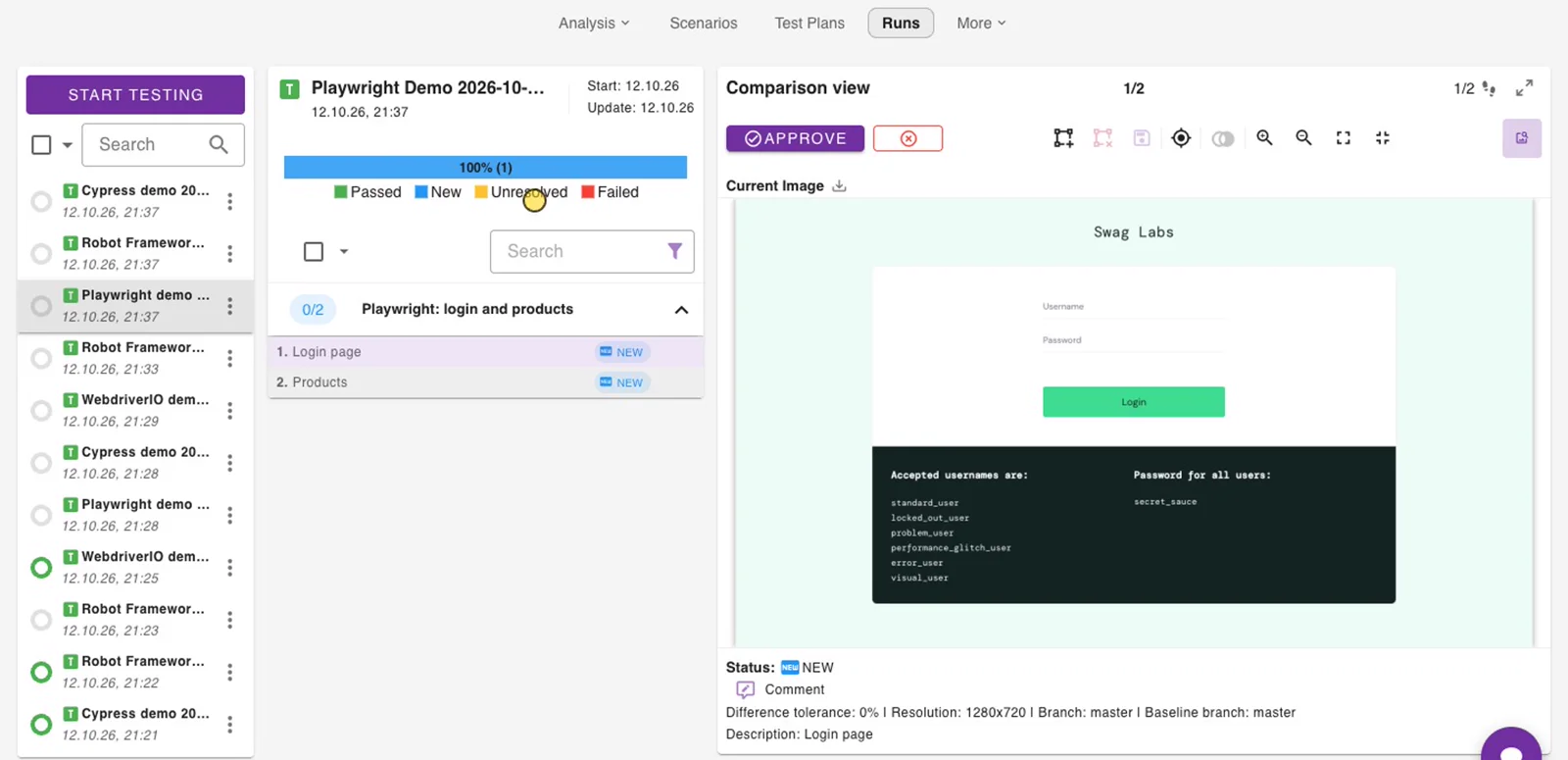
Nothing to set up. In Commander open Runs › Start testing. Commander runs the repository's tests in GitHub Actions with your project settings and shows the results under Runs.
The workflow has no manual Run workflow button in GitHub and does not run on push. To run the tests on every push or pull request, add your own trigger to .github/workflows/tests.yml.
Run locally
Needs Node.js 22 or 24 (the versions Cypress 16 supports) and git.
Open .env and paste an API key after WOPEE_API_KEY=. Create the key in Commander › More › Settings › API Keys; it is shown only once (see Get the API key). The other values are already your project's. .env is in .gitignore; do not commit it.
The first npm ci also downloads the Cypress app. npm test runs cypress/e2e/**/*.spec.cy.ts and prints one [wopee]: Tracking response: line per tracked step, with its status and a link to the step in Commander.
WOPEE_API_URL is not needed for cmd.wopee.io; the plugin defaults to https://api.wopee.io. Set it only for a self-hosted instance.
In a VS Code terminal, start the tests with env -u ELECTRON_RUN_AS_NODE npm test (see Troubleshooting).
Review the results
Open Runs in Commander and select the suite First tests for your project w. Wopee.io followed by the date and time of the run. The sample puts the date and time into the suite name, so every run is its own entry.
- First run: the step Home page is
new. Check the screenshot and click Approve; it becomes the baseline. - Next runs: the step is
okwhen the page looks the same, orunresolvedwhen it differs. Open it, then Approve it as the new baseline or Reject it as a bug.
A visual difference is reported in Commander; it does not fail the Cypress test. See Review in Runs.
Local runs and Commander baselines
Compare like with like. A screenshot from your machine differs from one taken by Commander's runner: on a Mac with a retina screen the local screenshot is 2560x1440, the runner's is 1280x720, and fonts render differently. A local run against a baseline approved from Commander is therefore unresolved. Keep the baselines from one place, usually Commander, and do not approve local screenshots over them.
For small rendering differences between runs on the same machine, set a tolerance: WOPEE_PIXEL_TO_PIXEL_DIFF_TOLERANCE is the difference in percent that still counts as a match. The template passes it to the plugin; set it in .env or in Commander › More › Settings › Environment Variables.
Make it yours
- Your app:
cy.visit("/")opensbaseUrl, which isWOPEE_PROJECT_URL. For local runs change it in.env; for runs from Commander change the App URL of the project in Commander. - More checks: add
cy.wopeeTrack({ stepName: "Contact page" })after an interaction. EverystepNamegets its own baseline. On a newly loaded page, put the font and image wait from the sample before the track, or usecy.pageReady()from Wait until the page is ready. - More tests: add
*.spec.cy.tsfiles undercypress/e2e/. Every test needs what the sample has: start a suite and a scenario, track, stop the scenario. - Cypress version: repositories created before the template moved to Cypress 16 stay on Cypress 13 and keep working. To move one to Cypress 16, run
npm install -D cypress@16 @wopee-io/wopee.cy@latestand replace anyCypress.env()in your tests withcy.env(), for examplecy.env(["SAUCE_USER"]).then(({ SAUCE_USER }) => …). Variables set in Commander › Environment Variables reach the run asCYPRESS_*environment variables, whichcy.env()reads andCypress.expose()does not.
Cloned the public template?
If .env contains put-your-project-uuid-here, you cloned the public template, not your project's repository. Put in your project UUID from More › Settings › API Keys (WOPEE_PROJECT_UUID) and your app's URL (WOPEE_PROJECT_URL), then run as in Run locally.