Add the Wopee.io MCP server to Claude Code
Connect Claude Code to your Wopee.io project, so it can generate tests, run them with Wopee.io's testing agent and read the verdicts. What the server does and how runs work: Wopee.io MCP server.
Before you start: Node.js 20.18 or newer, and WOPEE_API_KEY and WOPEE_PROJECT_UUID from More › Settings › API Keys in your project (how).
Tested on 27 October 2026 with wopee-mcp 1.32.0 and the setup on this page.
Add with the Claude Code CLI
Export the two values in your shell, then add the server from your repository root:
export WOPEE_API_KEY="your-api-key"
export WOPEE_PROJECT_UUID="your-project-uuid"

claude mcp add --scope project wopee -e 'WOPEE_API_KEY=${WOPEE_API_KEY}' -e 'WOPEE_PROJECT_UUID=${WOPEE_PROJECT_UUID}' -- npx -y wopee-mcp
Keep the single quotes: they write the ${...} references into the config instead of the key itself. Everything after -- is the command that starts the server.
The command creates .mcp.json in the repository root:
{
  "mcpServers": {
    "wopee": {
      "type": "stdio",
      "command": "npx",
      "args": ["-y", "wopee-mcp"],
      "env": {
        "WOPEE_API_KEY": "${WOPEE_API_KEY}",
        "WOPEE_PROJECT_UUID": "${WOPEE_PROJECT_UUID}"
      }
    }
  }
}
You can also write this file by hand. Commit it: it contains no secrets, and teammates who set the two variables get the same server.
The first time Claude Code starts in the repository, it asks whether to use the project's new MCP server. Choose Use this MCP server.
Claude Code MCP config file location
| Scope | Flag | File | Use for |
|---|---|---|---|
| Project | --scope project |
.mcp.json in the repository root |
Sharing with the team through git |
| Local (default) | --scope local |
~/.claude.json, under the current project |
Only you, only this repository |
| User | --scope user |
~/.claude.json |
Only you, every repository |
If the same server name exists in several scopes, local wins over project, and project over user.
Pass your Wopee.io API key securely
Claude Code replaces ${VAR} and ${VAR:-default} in .mcp.json with values from the environment it was started from. It does not read .env files. If you keep the values in .env, load them into the shell before you start Claude Code:
Do not put the key itself into .mcp.json. For the local or user scope, where the config is not committed, you can pass the value directly (-e WOPEE_API_KEY=your-api-key), but the environment-variable form works the same everywhere.
Verify the Wopee.io MCP server is connected
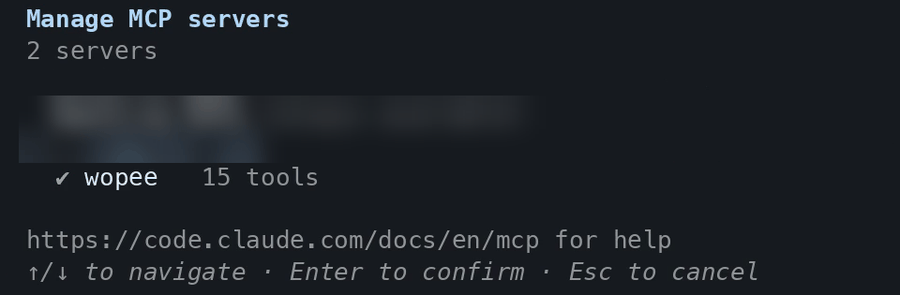
claude mcp list shows wopee as ✔ Connected. Inside a session, run /mcp: the list shows wopee · 15 tools. The server's three prompts appear as slash commands: /mcp__wopee__fetch-project-summary, /mcp__wopee__fetch-test-results and /mcp__wopee__run-test.
First prompt to try
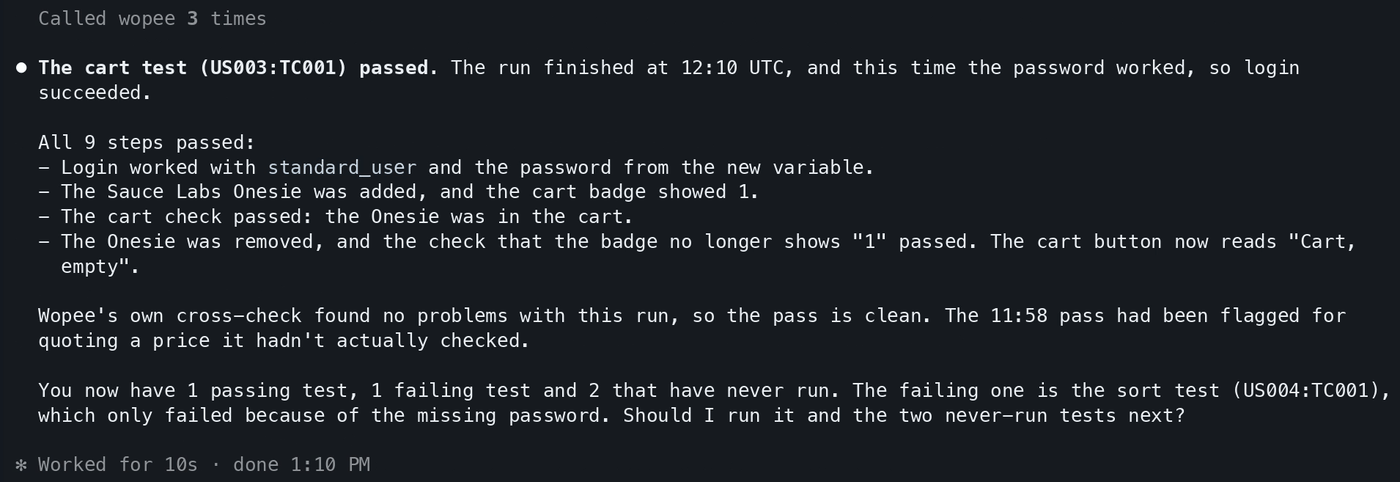
Claude Code asks to use wopee_fetch_test_inventory, then lists the analyses and test cases in your project with their latest status. More prompts: Prompt library.
In headless mode (claude -p), Claude Code loads the project's MCP servers without the approval prompt, but each tool still needs permission. Allow the server's tools with --allowedTools "mcp__wopee":
Several Wopee.io projects
Add one server per project with its own variables, for example:
claude mcp add --scope project wopee-shop -e 'WOPEE_API_KEY=${WOPEE_SHOP_API_KEY}' -e 'WOPEE_PROJECT_UUID=${WOPEE_SHOP_PROJECT_UUID}' -- npx -y wopee-mcp
claude mcp add --scope project wopee-admin -e 'WOPEE_API_KEY=${WOPEE_ADMIN_API_KEY}' -e 'WOPEE_PROJECT_UUID=${WOPEE_ADMIN_PROJECT_UUID}' -- npx -y wopee-mcp
Then name the server in your prompt: "Use wopee-admin to run the login test".
Troubleshooting
| Problem | Fix |
|---|---|
[AUTH_ERROR] WOPEE_API_KEY or WOPEE_AUTH_TOKEN must be set |
Claude Code was started from a shell without the variables. Export them (or source .env as above) and start claude again |
claude mcp list shows ✘ Failed |
Run npx -y wopee-mcp in the same shell to see the error. Usually Node.js is older than 20.18 or npx is not on the PATH |
The server is missing in /mcp |
You declined the project server on first start. Run claude mcp reset-project-choices and start again |
-e swallowed the server name |
Put the name before the -e options, as in the command above |
| Answers stop before the verdict | Runs take minutes. Ask "Check the Wopee.io run again" |
All error messages and their fixes: Troubleshooting.
FAQ
How do I add an MCP server to Claude Code?
With claude mcp add <name> -- <command>, or by adding it to .mcp.json. For Wopee.io, use the command at the top of this page.
Where is the Claude Code MCP config file?
.mcp.json in the repository root for the project scope, and ~/.claude.json for the local and user scopes.
Can Claude Code run end-to-end tests with MCP?
Yes. With the Wopee.io MCP server, Claude Code starts Wopee.io's testing agent on your test cases, waits for the verdicts and reads the agent's report. The browsers run in the cloud, not on your machine.